
Printing Timeline Column
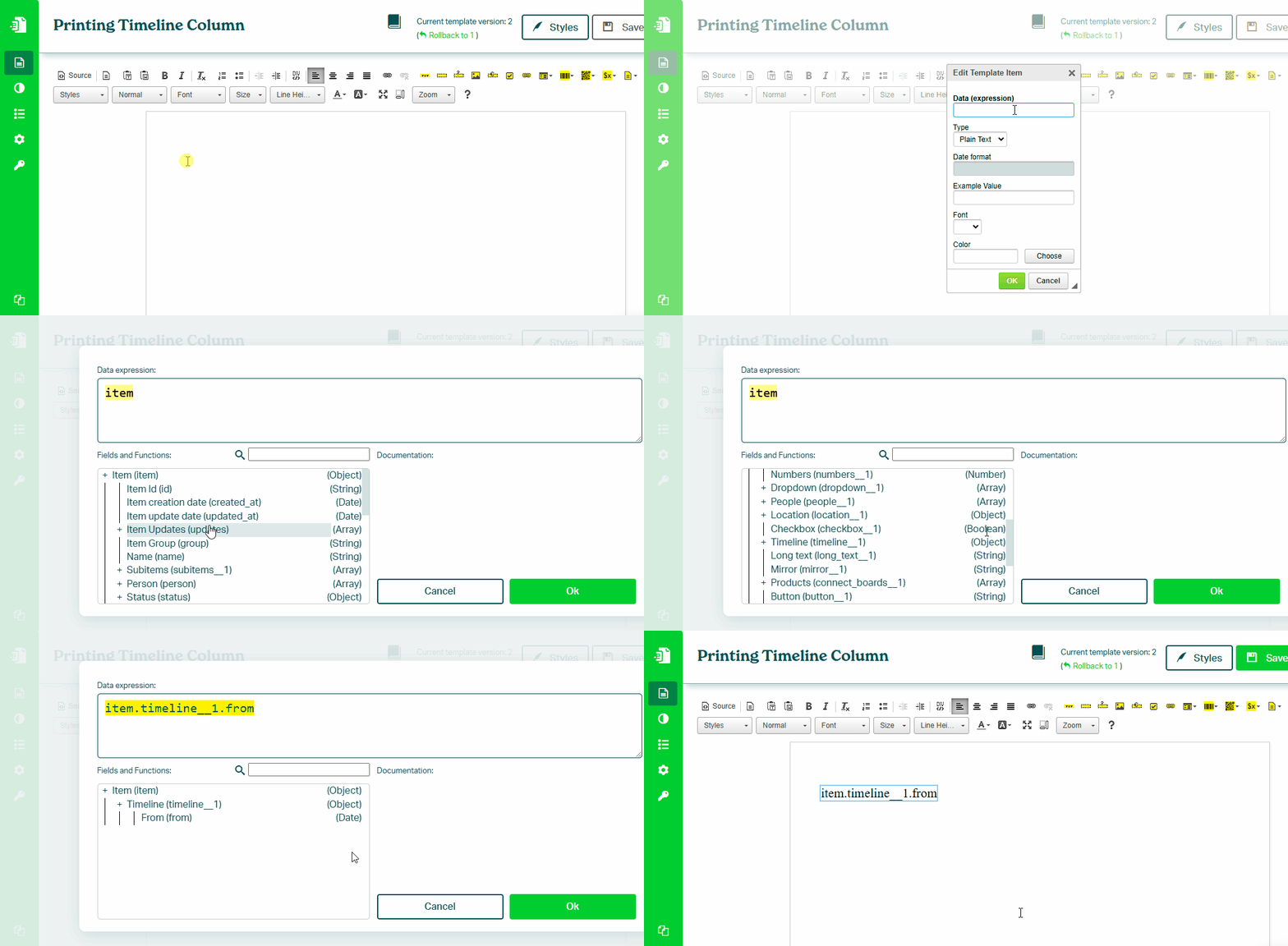
To print a value from a Timeline column in your monday.com board, follow these steps:
- In the Eledo editor, add a **Text Box** component
- Click into Data (expression) to open the expression builder
- Select a timeline field (for example:
item.timeline.from) - Optionally format the value using DATE functions
- Confirm and place the value into the document
Formatting Timeline Values
Timeline values are dates and can be formatted using the DATE() function.
Example:
DATE(item.timeline.from, "MM/dd/yyyy")
→ 07/14/2025

DATE(item.timeline.to, "dd/MM/yyyy")
→ 14/07/2025

DATE(item.timeline.changed_at, "EEEE, MMMM d, yyyy")
→ Monday, July 14, 2025

DATE(item.timeline.from, "dd MMMM yyyy")
→ 14 July 2025
See also:
Was this article helpful?
Yes
No

