
Printing Items from Connected Boards
Lists of items, subitems, connected board items, or attachments can be printed using **Block Repetition**. It can turn any container—such as a table row, table, list item, or paragraph—into a repeatable block.
The idea behind Block Repetition is simple: design a block for a single item, turn it into a repeatable block, and Eledo will print it as many times as there are items in your list.
Let’s look at an example.
One Table Row per Connected Item
Create a table with two rows:
- one for column headers
- one for values
Set the table width as needed. Place the cursor in the second row and click **Block Repetition**.
The configuration window will open. By default, the selected block is a table cell (TD), but we want to repeat the entire row. Click Select Parent Block to change the selection to the table row (TR).
In Data (expression), select:
item.connected_boards
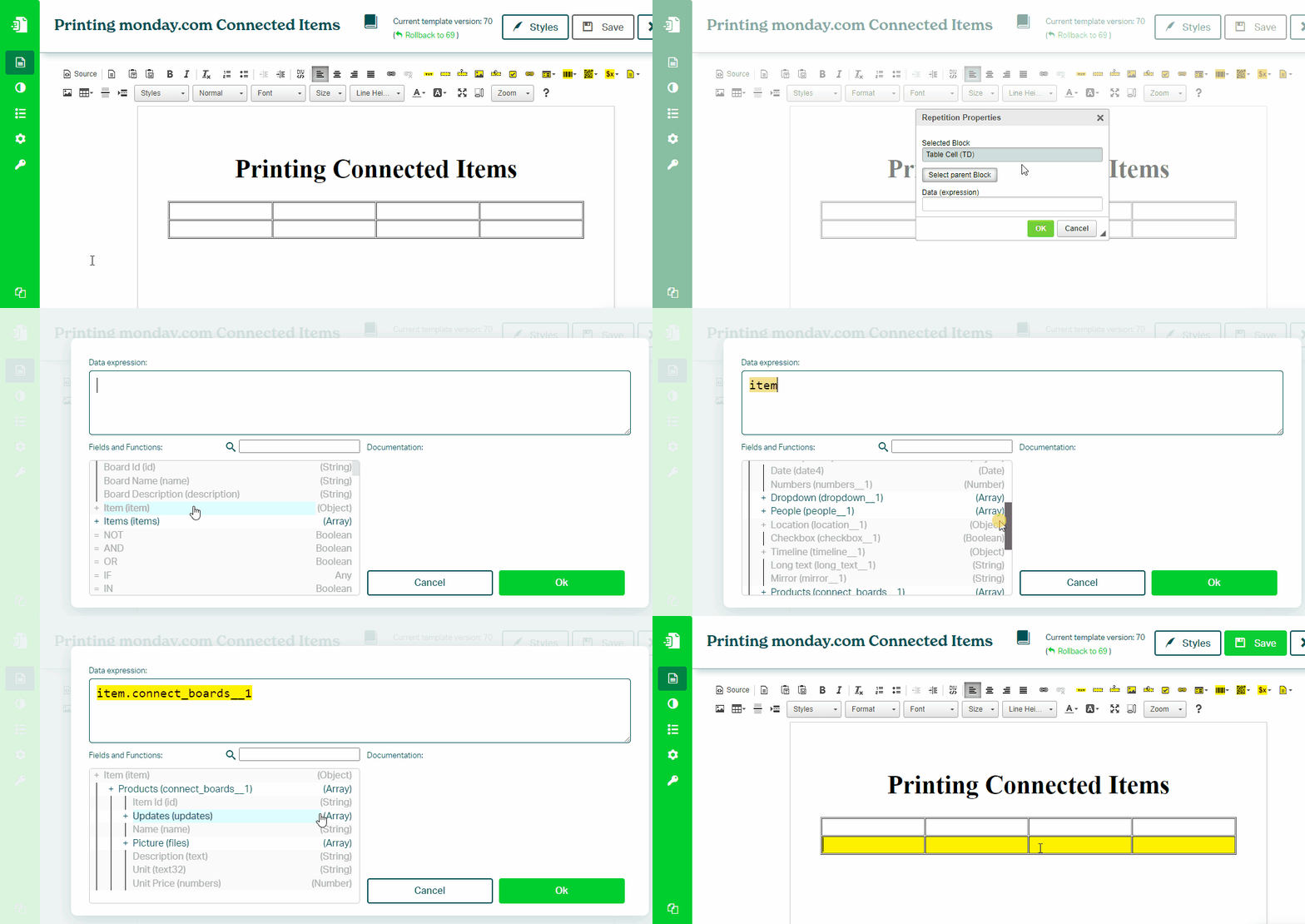
This setup ensures the row is repeated for each connected item.
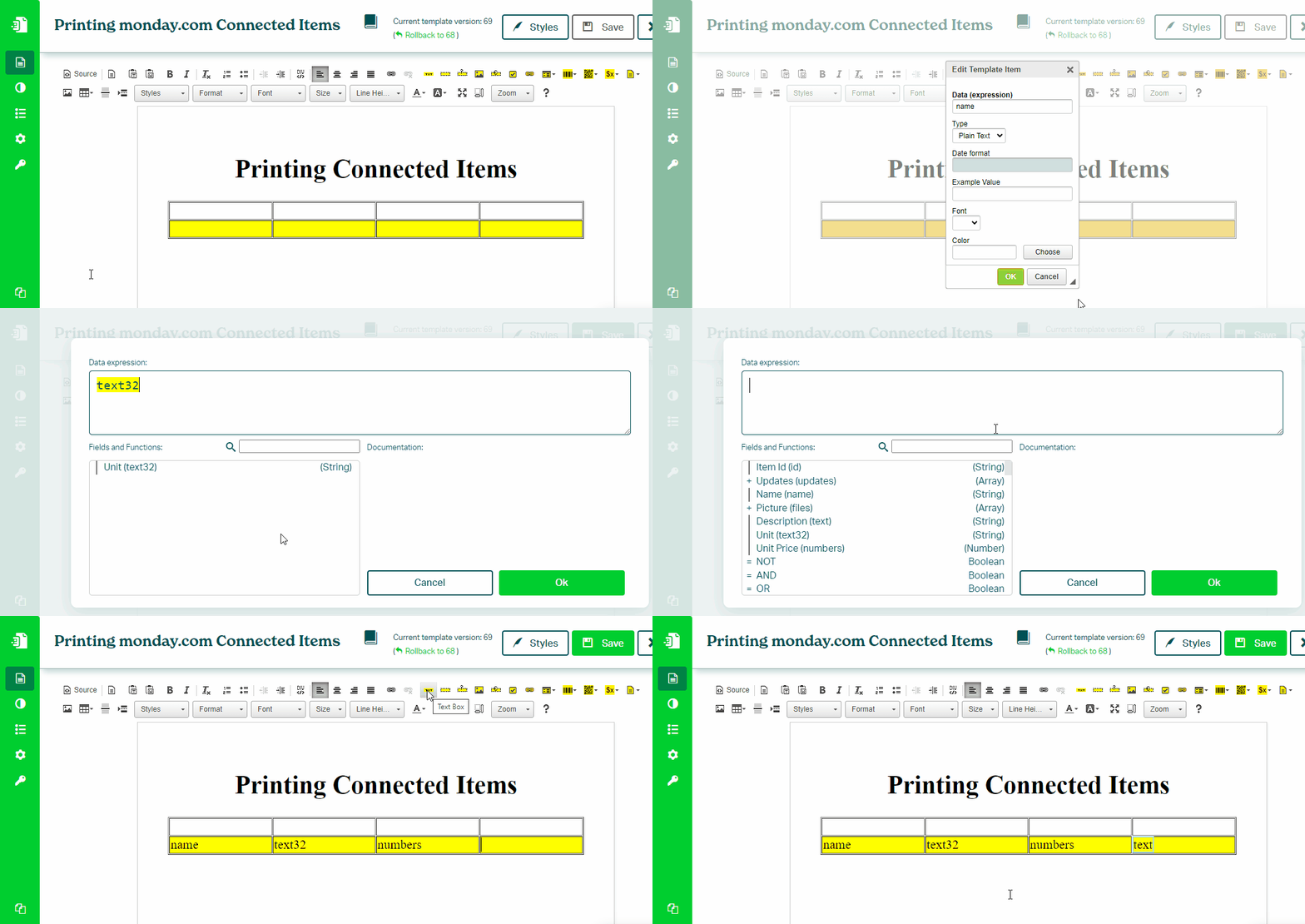
To print values, place **Text Box** components inside the repeated row.
Data Context
Block Repetition changes the data context.
Inside the repeated block, use connected item fields directly, without prefixes such as item. or item.connected_boards.
Was this article helpful?
Yes
No

