
Submit
A Submit field allows you to add a button into your PDF document that can be used to submit form data.
Add a Submit field
To insert a Submit field into your document:
- Place the cursor where you want the button to appear
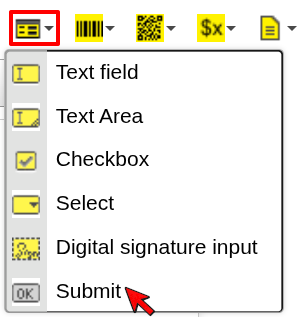
- Click the Form dropdown in the toolbar
- Select Submit
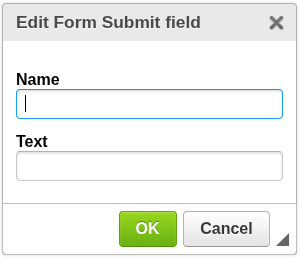
- Configure the field and confirm
The Submit field will be inserted at the cursor position.
Configuration
Name
The technical name of the submit field.
- Used to identify the submit action
- Can be referenced when processing form data
Text
Defines the label displayed on the button.
Example:
Submit
Displays a button labeled “Submit”.
When to use Submit
Use a Submit field when you need:
- a clear action for completing a form
- a button that signals form submission
- user interaction flow inside the PDF
Notes
The behavior of the Submit button depends on the PDF viewer and environment.
Not all viewers support form submission in the same way.
Next steps
- Learn about other form inputs → Text Field or Select
- Learn how expressions work → Expressions
Was this article helpful?
Yes
No

